Crate 1, Chiptune
Twinkle Twinkle, Ode to Joy, Jingle Bells, Brahms's Lullaby, Moonlight Sonata.
Ludwig is the game's own synthetic voice. About 25 seconds. Press again to stop.
Uses your device's voice. If you already use a screen reader, you do not need this.
A listening game for blind and low-vision players on the M-VAVE FM-1 pocket synthesizer. Hear a melody, play it back, watch it grow.
Free and open source, by BULØKE. Experimental: the first builds are being tested now.
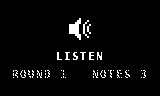
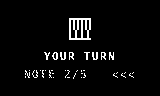
For anyone watching, the screen stays black with one small white message.


Records earn up to three stars. Three records in a crate open the next crate. The more stars you earn, the more you grow as a player: from Beginner, through Apprentice, Musician and Soloist, to Maestro.
Other modes: Quick Echo (records one after another on three lives), Jam (play over a beat), Library (listen to your records) and Key Explorer (press any key or button and Ludwig names it).
No buttons to find. On the FM-1 every button does the same thing, and the keybed has a left half and a right half you can feel.
| On the FM-1 | What it does |
|---|---|
| Any button, short press | Select. In the game: listen to the melody again |
| Any button, held for about a second | Back. In the game: the pause menu, with go on, hint, score and quit |
| Any button, held for three seconds | Main menu |
| A key on the left half or the right half | In lists: previous or next. In a choice of two: left is back or no, right is try again or yes |
| Any knob | Previous or next |
| The keys, in the game | Play your answer |
Prefer a job for each button? Choose Settings, Controls, Classic: PLAY selects, HOME goes back, REC repeats, EDIT helps, SEQ gives a hint and ARP tells your score.
25 famous melodies in five crates, each crate in its own electronic style. All of them are classical works composed before 1929, or traditional songs, so they are free for everyone to use.
Twinkle Twinkle, Ode to Joy, Jingle Bells, Brahms's Lullaby, Moonlight Sonata.
Bach's Prelude in C, Minuet in G, Vivaldi's Spring, Grieg's Morning Mood, Bach's Badinerie.
Pachelbel's Canon, Satie's Gymnopédie, The Blue Danube, Greensleeves, Swan Lake.
Korobeiniki, The Entertainer, Eine kleine Nachtmusik, Mozart's Symphony 40, Für Elise.
Beethoven's Fifth, Toccata in D minor, In the Hall of the Mountain King, Chopin's Funeral March, Rondo alla Turca.
The browser version runs the same code as the firmware, with the same voice and sounds. Sound on, and use headphones if you can.
Keys on a computer keyboard: the letters A W S E D F T G Y H U J K O L P are the piano keys. Left and right arrows move through menus. Enter selects. Escape goes back.
If you use a screen reader, Ludwig and your screen reader will both talk. You may want to pause your screen reader's speech while you play.
This website aims to meet WCAG 2.2 level AA. It works with a keyboard and with screen readers, has no flashing and no sound until you ask for it, and lets you change text size, colours and spacing above. Your choices are remembered on this device.
It has not yet been tested by blind users. If something does not work for you, please tell us on GitHub in the issues section of the project. Your report helps the next player.